Context Info
Another thing worth being aware of right away is the context info feature.
Within TopBar, clicking the "circled i" button will enable it.
Alternatively it can be toggled via shortcut 'alt + c'.
Once enabled, for most UI elements, when the mouse hovers over them, a respective information window will be shown. Something like this:
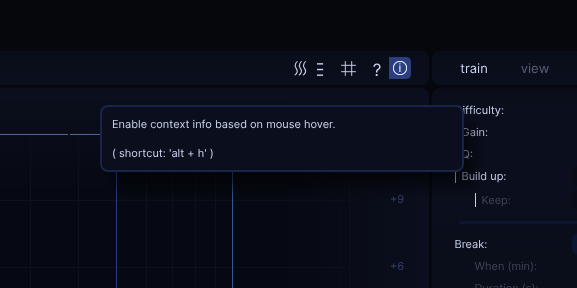
In addition to a description, for number input fields, some additional information regarding ranges and default values, and for buttons, the associated shortcuts will be shown.
While this can be used to get some helpful, immediate reference information once you roughly know your way around EQdrill, it is no full replacement for reading this current documentation at least once. But it's helpful thing "along the way" and a nice alternative approach to figuring out the resp. shortcut of a given button (often quicker than going via Controls window).